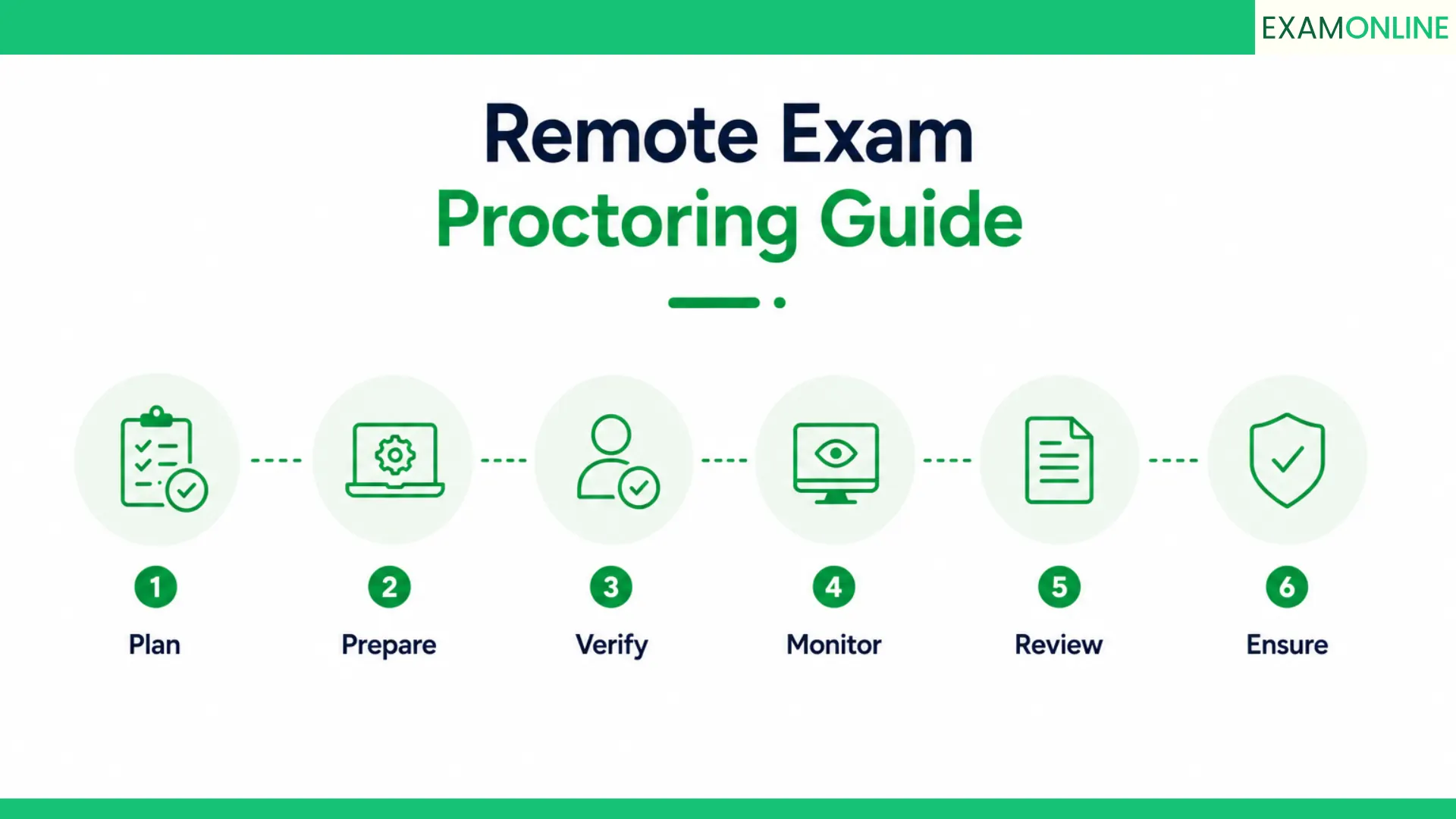
The Online Proctoring Handbook
Blog 1: Proctoring Explained: Types, Evolution and Why It Matters
Blog 2: Online Proctoring: How It Works End to End
Blog 3: Online Exam Proctoring: A Guide for Institutions
Blog 4: Remote Exam Proctoring Guide: Setup to Execution (you are here)
Blog 5: What Is an Exam Portal? Features, Functions and How to Evaluate One
Remote exam failures are rarely technology failures. They are preparation failures. The platform did what it was configured to do. The problem is that it was configured by someone who underestimated the gap between what looks good in a demo and what holds up during a live exam with thousands of candidates, variable connectivity, and a support team handling queries in real time.
Every exam administrator who has run remote exams at scale has a story. The verification window that turned into a support crisis. The flag volume that overwhelmed the review team. The candidate population was never properly briefed on system requirements and spent the first fifteen minutes of the exam window troubleshooting instead of testing. These are not rare edge cases. They are the predictable outcomes of a remote exam proctoring setup that was treated as a technology project rather than an operational one.
This blog is the operational guide for practitioners. It covers everything from pre-exam planning through live execution to post-exam review, with the specific checkpoints, configuration decisions, and failure patterns that determine whether your remote exam proctoring setup works or doesn’t. It is written for exam administrators, IT leads, and operations teams who carry the responsibility for making remote exams run correctly.
This is Blog 4 of The Online Proctoring Handbook. Blog 1 covers proctoring fundamentals, Blog 2 explains the full technical lifecycle, and Blog 3 addresses institutional-scale considerations. This blog focuses on execution.
Table of Contents

Why remote exam setup fails before it starts
The failure point in most remote exam proctoring deployments is visible well before the exam day. It sits in the planning phase, or more accurately, in the absence of one. Teams that treat remote exam setup as a checklist of vendor tasks, onboard the platform, test the login, send a candidate link, consider it done, are building toward a failure they just cannot see yet.
The gap is almost always between what the platform can do and what the organization has configured it to do for this specific exam. Remote exam proctoring platforms are general-purpose tools. They ship with default settings calibrated for an average use case. Your exam is specific. Your candidate population has a specific connectivity profile, a specific device landscape, and a specific set of compliance requirements. None of that is in the default settings. The configuration work that maps the platform to your specific context is the work that most teams either rush or skip entirely.
The second gap is operational rather than technical. Remote exam proctoring involves a sequence of workflows that must be designed, staffed, and tested before the exam runs: the candidate onboarding workflow, the pre-exam system check process, the live support escalation path, the flag review workflow, the result release authorization process, and the dispute handling procedure. Each of these requires human decisions about who does what, when, and with what documentation. When these workflows are undefined, the decisions get made under pressure on exam day, which is the worst possible time to be making them for the first time.
The organizations that run remote exam proctoring reliably are the ones that treat the preparation work as seriously as they treat the technology selection. The platform is the tool. The preparation is the skill. Both are required, and only one of them comes with the vendor contract.
Remote exam failures are preparation failures. The technology did exactly what it was configured to do. The question is always whether it was configured correctly for the specific exam it was asked to run.

Planning your remote exam proctoring workflow
Planning a remote exam proctoring workflow means mapping every stage of the exam lifecycle, from candidate registration to result release, and defining what happens at each stage, who is responsible, what the platform does automatically, and what requires human action. This map is what turns a set of platform features into a functioning operational system.
Start with the exam parameters. How many candidates will sit simultaneously at peak load? What is the exam duration? Is this a closed-book or open-book assessment? What are the compliance requirements? What is the acceptable risk level for false positives versus missed violations? These questions determine the proctoring mode, the flag sensitivity configuration, the identity verification level, and the review resourcing. They need answers before the remote proctoring setup is configured, not after.
Work backward from result release to define the review timeline. If results must be released within forty-eight hours of the exam, and the expected flag rate generates two hundred review cases, you need enough trained reviewers to process two hundred cases within that window while maintaining documentation standards. That calculation determines your staffing requirement, which determines your training requirement, which determines how far in advance the preparation needs to begin. Most organizations discover they need more review capacity than they planned for, and they discover it after the exam.
The planning stage is also where candidate communication is designed. Every piece of information a candidate needs before, during, and after the exam should be scripted, scheduled, and automated where possible. The system requirements email, the ID submission reminder, the pre-exam system check invitation, the exam day instructions, the results notification, and the dispute process information are all communication touchpoints that need to be defined in the planning phase rather than assembled on the fly.
Remote exam proctoring planning checklist
- Define exam parameters: candidate volume, duration, format, and compliance requirements
- Select proctoring mode: automated, live, or hybrid, based on stakes and scale
- Map the full exam lifecycle with stage-by-stage responsibilities and handoffs
- Calculate review resource requirements based on expected flag rate and result release timeline
- Design candidate communication workflow with automated triggers and content
- Define the support escalation path for technical issues during verification and live exam
- Establish the dispute process with documented procedures and candidate-facing information
- Schedule platform configuration review, integration testing, and candidate pilot
- Confirm data handling compliance with applicable privacy and security frameworks
- Set go and no-go criteria for exam day launch based on system check outcomes

Infrastructure and system requirements
Infrastructure is where the gap between a controlled demo and a live exam becomes most visible. A demo runs on a prepared device with a reliable connection in a controlled environment. A live remote exam runs on thousands of different devices, across dozens of different connectivity situations, with candidates ranging from those on enterprise networks to those on mobile data in areas with inconsistent signal. The infrastructure requirements for remote exam proctoring must account for the full range of actual candidate conditions, not the ideal ones.
Platform-side infrastructure requirements cover server capacity, concurrent session management, and data transmission architecture. The remote proctoring platform needs to handle the peak verification load, which occurs when the maximum number of candidates attempt to complete pre-exam checks within a short window before the session opens, without performance degradation. Platforms that have not been stress-tested at your specific peak load introduce infrastructure risk that only becomes visible under real exam conditions.
Candidate-side requirements cover the minimum device and connectivity specifications needed to run the secure browser, webcam monitoring, screen recording, and audio capture simultaneously without performance issues. These requirements need to be communicated to candidates early enough that they can resolve any compatibility issues before exam day. A candidate who discovers their device does not meet the specifications at the start of the verification window has no time to fix it, which creates an exception that must be handled under pressure.
Low-bandwidth configurations matter more than most organizations realize, particularly for assessments with diverse candidate populations. Low-bandwidth remote proctoring modes that reduce video quality while maintaining monitoring integrity allow candidates in lower-connectivity environments to participate without the platform treating their connection quality as a technical failure. Confirming that your platform supports low-bandwidth operation and configuring it appropriately for your candidate population is a basic infrastructure requirement that frequently gets overlooked.
Minimum candidate system requirements for remote exam proctoring
| Requirement | Minimum specification | Recommended specification |
| Internet connection | 1 Mbps upload and download | 5 Mbps or above for stable performance |
| Processor | Intel Core i3 or equivalent | Intel Core i5 or above |
| RAM | 4 GB | 8 GB or above |
| Operating system | Windows 10, macOS 10.14, or Chrome OS | Latest stable release of any supported OS |
| Browser | Secure browser as specified by platform | Latest version installed fresh before exam |
| Webcam | 720p minimum resolution | 1080p for clear facial recognition |
| Microphone | Built-in or external functional microphone | External microphone for cleaner audio |
| Storage | 500 MB free for secure browser and session data | 1 GB or above |
| Mobile devices | Supported on specific platforms with mobile proctoring mode | Confirm compatibility per platform |

Candidate onboarding and pre-exam preparation
Candidate onboarding is the stage that most directly determines what exam day looks like for your operations team. When candidates arrive at the verification window fully prepared, with the right device, the right ID, the right environment, and a completed system check, the exam runs smoothly. When they arrive unprepared, the support queue fills immediately, the verification window becomes a crisis management exercise, and the exam itself starts late or unevenly for a significant portion of the candidate population.
The onboarding communication sequence needs to begin well before exam day. The first communication, delivered at registration confirmation, should cover the system requirements, the ID document requirements, and the environment preparation instructions. A second communication, sent forty-eight hours before the exam, should include a link to the pre-exam system check tool and a reminder of the ID and environment requirements. A third communication on exam day should provide the exam access link, the support contact, and a clear step-by-step walkthrough of the verification process.
The pre-exam system check is one of the most operationally valuable tools in the remote exam proctoring workflow and one of the most consistently underutilized. A system check run forty-eight hours before the exam gives candidates enough time to resolve compatibility issues, update their browser, test their webcam and microphone, and confirm that their environment meets the requirements. ExamOnline’s candidate onboarding system includes a pre-exam readiness check that candidates can run independently, with clear guidance on resolving common issues without requiring support intervention.
Environment preparation instructions need to be specific. Telling a candidate to sit in a quiet room gives them enough to comply with the spirit of the requirement. Telling them to clear their desk of all materials, ensure the room is well lit with the light source in front of them, position their webcam at eye level, and confirm that no other people will enter the space during the exam gives them enough to meet the actual monitoring requirements. The specificity of the preparation instructions is directly correlated with the quality of the environment scans you receive and the volume of environment-related flags you generate.
Candidate pre-exam preparation checklist
- System requirements confirmed: processor, RAM, operating system, and browser version
- Secure browser downloaded and installed at least 24 hours before the exam window
- Webcam and microphone tested and confirmed functional
- Internet connection speed tested and confirmed above minimum threshold
- Government-issued photo ID confirmed valid and available for the verification step
- Exam environment prepared: desk cleared, room well lit, no unauthorized materials visible
- No other people confirmed to be absent from the exam space during the session
- All unnecessary applications closed on the device before exam launch
- Mobile devices and secondary screens removed from the exam space or confirmed powered off
- Support contact details confirmed and saved in case of technical issues during verification
Configuring your remote proctoring settings
Configuration is where the remote exam proctoring setup becomes specific to your exam rather than generic to the platform. Every configuration decision has downstream consequences for the candidate experience, the flag volume, the review workload, and the defensibility of the results. Treating configuration as a one-time task that applies across all your assessments is the operational equivalent of using the same driving speed on a motorway and a school road.
The proctoring mode selection is the first configuration decision. For most remote exam proctoring deployments, a hybrid model works best: AI-powered automated monitoring handles the broad session surveillance, and human review or live escalation is available for flagged incidents that require judgment. Pure live proctoring is reserved for the highest-stakes individual sessions. Pure automated proctoring without any live escalation path creates a gap for incidents that require real-time intervention.
Flag sensitivity thresholds require per-exam calibration. A closed-book exam with no permitted reference materials warrants tighter gaze deviation thresholds than an open-book assessment where candidates are expected to look away from the screen regularly. An exam taken in a home environment warrants different audio sensitivity settings than an exam taken in a supervised center. These are not minor adjustments. They are the difference between a review queue containing fifty cases and one containing five hundred, with the same exam and the same candidate population.
Browser lockdown configuration needs to match the exam format. An exam that requires candidates to access a code execution environment or a permitted reference document within the exam interface needs a lockdown configuration that allows that specific access while blocking everything else. A configuration that blocks everything unconditionally will generate candidate support issues for legitimate exam interactions. Every exception to the default lockdown configuration should be explicitly documented and tested before the exam runs.
Remote proctoring configuration do’s and don’ts
| Do | Avoid |
| Configure flag thresholds per exam type and format | Using factory defaults across all exam types |
| Test the secure browser configuration with the actual exam content | Assuming lockdown settings work without testing against real exam interactions |
| Set re-verification frequency based on session length | Applying the same re-verification interval to a 30-min quiz and a 3-hour exam |
| Calibrate audio sensitivity for home environment conditions | Using sensitivity levels designed for controlled exam centers |
| Define the escalation path for live proctoring intervention | Deploying automated-only monitoring for high-stakes sessions with no escalation option |
| Document every configuration exception with its justification | Making verbal configuration decisions with no written record |
| Run a full configuration test with representative candidates before exam day | Testing configuration only with internal staff on managed devices |
Managing the live exam session
The live exam session is where preparation either pays off or fails. A well-prepared remote exam proctoring deployment means the operations team is monitoring dashboards rather than fighting fires, the support queue is handling individual edge cases rather than systemic issues, and the exam runs to its scheduled duration without forced extensions or emergency exception processes.
The operations dashboard is the primary management tool during the live session. It should show the number of active sessions, the verification status of candidates still in the pre-exam window, the volume of flags being generated in real time, and the status of any live proctoring escalations. Teams running large-scale remote exam proctoring should designate specific roles during the live window: an operations lead monitoring overall session health, a support lead managing the candidate query queue, and a review lead handling any flags that require immediate escalation during the session rather than post-exam.
The verification window, the period between when the exam opens for candidate access and when the exam content is delivered, requires the most active management. This is when the support queue peaks, when most technical issues surface, and when the decisions that affect result fairness are made. Candidates who encounter verification failures during this window need a clear escalation path that can be resolved within the window rather than resulting in a missed exam. The decision criteria for allowing a candidate to proceed despite a failed verification step need to be defined in advance and applied consistently.
Mid-session incidents require a defined response protocol. When a flag reaches a high-confidence threshold during a live session, who decides whether to intervene? What intervention options are available? Can a live proctor be assigned to the session? Can the session be paused? Can the candidate be warned? Each of these options has implications for the fairness of the candidate’s experience and the consistency of the enforcement standard across the exam. The answers need to be in a written protocol that the operations team has read before the exam starts.
Live session management responsibilities
- Operations lead: monitoring session health dashboard and managing any platform-level incidents
- Support lead: managing candidate query queue with documented response protocols for common issues
- Review lead: triaging high-confidence flags and making real-time escalation decisions
- Live proctors: assigned to escalated sessions requiring real-time observation and intervention
- IT standby: available for any infrastructure or integration issues that arise during the window
- Communication lead: managing any candidate-facing announcements during the session window
- Verification exceptions handler: processing verification failure cases within the opening window
- Incident logger: maintaining a running log of all operational incidents and resolutions for the exam record
During a live remote exam, the platform monitors the candidates. The operations team monitors everything else. The quality of that second layer determines whether the exam runs to plan.
Compliance checkpoints you cannot miss
Compliance in remote exam proctoring is an operational requirement, not a documentation exercise. The compliance checkpoints that matter are the ones that determine whether your exam results are legally defensible, your data handling is lawful, and your audit trail is sufficient for any review that follows. Missing these checkpoints at the planning stage means discovering the gap during a regulatory inquiry, an accreditation review, or a candidate legal challenge. ExamOnline’s platform is built under ISO 27001, ISO 9001, and GDPR frameworks, giving organizations a compliance foundation they can build their own policies on.
Data privacy compliance is the most commonly overlooked compliance dimension in remote exam proctoring deployments. The Digital Personal Data Protection Act 2023 in India and GDPR in Europe both require that biometric data collected during candidate verification and behavioral data captured during monitoring be handled with explicit consent, stored securely, and deleted in accordance with a defined retention policy. Organizations that deploy remote exam proctoring without a documented data processing agreement with their platform vendor are operating outside these frameworks.
Identity verification compliance requires that the verification process meets the identity assurance level required by the regulatory or accreditation framework governing the assessment. Government exam bodies, professional licensing authorities, and accredited certification programs often specify minimum identity assurance requirements. Deploying a basic photo check for an exam that requires enhanced identity assurance creates a compliance gap that may only surface during an external audit.
Exam audit trail compliance requires that the documentation captured during the remote exam proctoring session meets the evidentiary standard of the applicable framework. This means full session recording with tamper-resistant storage, complete flag documentation with confidence scores and reviewer decisions, and a result release authorization record that shows who approved the release and on what basis. Organizations operating under frameworks with specific audit documentation requirements should verify their platform’s audit output against those requirements before the first exam runs.
Remote exam proctoring compliance checklist
- Data processing agreement in place with the platform vendor covering biometric and behavioral data
- Candidate consent for data collection obtained and recorded before session access
- Data residency confirmed to meet national or institutional sovereignty requirements
- Identity verification level confirmed to meet applicable regulatory identity assurance standard
- Session recordings stored with tamper-resistant integrity verification
- Audit trail scope confirmed to cover all required evidentiary elements for the governing framework
- Data retention policy documented and configured in the platform
- Accessibility accommodations confirmed available and documented for candidates with disabilities
- Dispute handling process documented and compliant with procedural fairness requirements
- Platform security certifications confirmed: ISO 27001, SOC 2, or equivalent
What to do when things go wrong
Things go wrong in remote exams. Connectivity drops. A candidate’s webcam fails mid-session. A false positive generates a flag that the candidate disputes before the session ends. A platform error affects a subset of candidates. None of these events is avoidable with certainty. All of them are manageable with preparation. The difference between a recoverable incident and an exam crisis is almost always whether the response protocol was written in advance or improvised under pressure.
The first category of things that go wrong is candidate-side technical failures. A candidate loses connectivity mid-session. Their webcam feed drops. Their secure browser crashes. The response to each of these depends on the platform’s session recovery capability and the exam’s policy on partial completions and re-entry. These policies need to be defined before the exam, communicated to candidates, and operationally feasible within the platform. A policy of allowing re-entry within a defined window is only workable if the platform supports session continuity and the operations team has a process for authorizing re-entry.
The second category is platform-side incidents. A degraded service event affects verification speed for a portion of candidates. A flag generation error produces anomalous results for a session batch. These incidents require an immediate communication response to affected candidates, a technical escalation to the platform provider, and a documented record of what happened, how many candidates were affected, and what remediation was applied. Organizations running enterprise remote exam proctoring should have a named escalation contact at their platform provider and a defined SLA for incident response during the exam window.
The third category is integrity incidents: a flag that suggests a genuine violation during a live session. The response protocol for these incidents needs to cover what evidence is required to make an in-session determination, what intervention options are available, what the candidate is told if a session is terminated, and how the incident is documented for the post-exam review. In-session integrity decisions that are made without documentation or inconsistently applied across candidates are the source of the disputes that are hardest to resolve after the fact.
Incident response protocol by type
| Incident type | Immediate response | Documentation required |
| Candidate connectivity loss | Check session recovery option, contact candidate via support channel | Incident time, duration, recovery action, and re-entry authorization if granted |
| Webcam or audio failure | Assess recoverability, apply exam policy on partial monitoring | Failure time, platform diagnostic, decision and rationale |
| Secure browser crash | Support escalation, re-entry per policy | Crash log, re-entry authorization, session continuity record |
| Platform service degradation | Escalate to vendor, communicate to affected candidates | Incident report, affected session list, vendor response log |
| High-confidence integrity flag | Review lead assessment, live proctor escalation if available | Flag details, review decision, intervention record, candidate notification |
| Candidate dispute during session | Acknowledge, log, defer to post-exam review process | Dispute details, candidate communication log, deferral record |

Post-exam review and result release
The post-exam phase is where the quality of everything that came before is either confirmed or exposed. A well-run remote exam proctoring deployment produces a manageable flag queue, a trained review team with documented decision criteria, and a result release process that can be completed within the committed timeline. A poorly prepared deployment produces a backlog of unresolved flags, inconsistent review decisions, and a result release delay that generates candidate complaints and damages institutional credibility.
The flag review workflow begins as soon as the last session closes. Flags should be sorted by confidence score and processed highest-priority first. Each review decision requires a documented rationale that explains why the flag was dismissed or why it was treated as a genuine violation. Reviewers should be working from written decision criteria, not from individual judgment alone. Where a reviewer is uncertain, the case should be escalated to a senior reviewer rather than resolved with a low-confidence determination. ExamOnline’s exam reporting dashboard gives review teams the full session context needed to make accurate decisions efficiently.
Result release authorization requires a clear sign-off process. Who confirms that the flag queue has been fully processed? Who authorizes the release for sessions where a genuine violation was identified and actioned? Who handles the candidates whose results are withheld pending further investigation? These roles and their decision authority need to be defined before the exam, because the result release window is when candidates, their employers, and their institutions are waiting, and the pressure to release quickly is highest exactly when the decision-making process is most likely to be rushed.
Post-exam analysis of flag patterns and review outcomes is one of the most underutilized quality improvement inputs in remote exam proctoring. If ten percent of candidates in a specific geographic cohort generated flags for the same reason, that is a configuration signal, not an integrity signal. If the review team dismissed ninety percent of flags in a particular category as false positives, that category’s threshold needs recalibration before the next exam. Treating post-exam data as an operational quality input rather than noise to be archived is what allows remote exam proctoring setups to improve with each deployment.
Post-exam review workflow steps
- Close all active sessions and confirm session recording completion and storage
- Export the flag queue sorted by confidence score for review team access
- Brief review team on decision criteria specific to this exam type
- Process high-confidence flags first with full session context review
- Document every review decision with reviewer identity, rationale, and timestamp
- Escalate uncertain cases to senior reviewer before final determination
- Process genuine violations according to the pre-defined action protocol
- Authorize result release once flag queue is fully resolved
- Release results to candidates through defined notification channel
- Conduct post-exam flag analysis to identify configuration improvement opportunities

What a solid remote proctoring setup looks like
A solid remote exam proctoring setup is one that the operations team runs with confidence rather than anxiety. It is the kind where the pre-exam checklist has been completed days in advance, the candidate communication has been sent and acknowledged, the review team knows what they are looking for, and the operations dashboard on exam day shows a system running as designed rather than a series of escalating exceptions.
That outcome is achievable. It requires treating the preparation work, the planning, the configuration, the testing, the training, and the communication design, as seriously as the technology selection. Organizations that invest in these layers find that their remote exam proctoring deployments improve measurably with each cycle, because they have built the feedback loops that allow them to learn from each exam rather than repeat the same setup decisions from scratch.
ExamOnline is built for practitioners who need remote exam proctoring that works under real operational conditions. The platform supports AI-powered automated monitoring, live proctoring escalation, multi-device and low-bandwidth configurations, LMS integration, and full audit documentation within a single environment. It is used by exam administrators running everything from single-cohort corporate assessments to mass government examinations with tens of thousands of simultaneous candidates.
Explore how ExamOnline supports remote proctoring deployments for universities, certification bodies, government exam authorities, and corporate hiring programs.
Book a demo to see the full remote exam proctoring workflow in action.
Further reading
Digital Personal Data Protection Act 2023: India’s data protection legislation governing the collection and processing of personal and biometric data, directly applicable to remote exam proctoring deployments.
NIST SP 800-63 Digital Identity Guidelines: US federal framework for digital identity verification levels, widely referenced as an international standard for identity assurance in remote assessment contexts.
Wikipedia: Remote work: context on how distributed work and learning environments have shaped the infrastructure requirements for remote assessment and proctoring.
ISO/IEC 27001 Information Security Management: international security certification standard relevant to audit trail integrity and data handling requirements for remote exam proctoring platforms.
Springer: AI-based Proctoring Research: peer-reviewed research on AI monitoring effectiveness, false positive rates, and behavioral analysis in remote examination environments.
Frequently asked questions
How far in advance should remote exam proctoring setup begin?
For a straightforward remote exam proctoring deployment, preparation should begin at least three to four weeks before the exam date. This allows time for platform configuration, integration testing, candidate communication design, reviewer training, and a meaningful pilot with representative candidates. For large-scale institutional exams, six to eight weeks is more appropriate to allow for compliance verification, infrastructure stress testing, and the iterative refinement that meaningful pilot testing typically requires.
What bandwidth does remote exam proctoring require from candidates?
Most remote exam proctoring platforms require a minimum of one to two Mbps upload and download speed from the candidate for standard operation. Low-bandwidth configurations can reduce this requirement for candidates in lower-connectivity environments. Institutions with diverse candidate populations should verify their platform’s low-bandwidth capability and configure it appropriately rather than assuming all candidates will have consistent high-speed access.
How should institutions handle candidates who fail the pre-exam system check?
Candidates who fail the pre-exam system check should receive immediate guidance on the specific issue and how to resolve it, with a support contact available for issues they cannot resolve independently. The system check window should be run far enough in advance of the exam that candidates have time to upgrade their browser, adjust their environment, or seek technical assistance before the exam window opens. ExamOnline’s candidate support infrastructure provides exam administrators with tools to track system check completion and identify candidates who may need proactive support before exam day.
What is the recommended flag review timeline after a remote exam?
The appropriate review timeline depends on the volume of flags generated and the staffing available for review. A practical benchmark is to complete the review queue within twenty-four to forty-eight hours of the exam for standard deployments. For high-volume mass exams, this may require a larger review team or a prioritization protocol that clears unambiguous cases first and batches borderline cases for senior review. The committed result release timeline should always be set after confirming that the review can realistically be completed within that window given the expected flag volume.
Can remote exam proctoring be run without an internet connection?
Remote exam proctoring requires an active internet connection throughout the session for monitoring data transmission, session recording, and real-time flag generation. Offline exam delivery without proctoring is technically possible on some platforms, but it removes the monitoring layer entirely. Institutions with candidates in areas with genuinely unreliable connectivity should explore low-bandwidth proctoring configurations, scheduled exam windows during peak connectivity periods, or center-based testing alternatives for the affected population rather than attempting to run remote proctoring without adequate connectivity.
Continue reading: The Online Proctoring Handbook
This is Blog 4 of the five-part series. Here is the full reading path:
Blog 1: Proctoring Explained: Types, Evolution and Why It Matters
What proctoring is, where it came from, its types, and why getting the foundation right matters.
Blog 2: Online Proctoring: How It Works End to End
The full technical lifecycle of an online proctoring session, from verification through audit trail and result release.
Blog 3: Online Exam Proctoring: A Guide for Institutions
How universities, certification bodies, and institutional exam authorities run online exam proctoring at scale with compliance coverage.
Blog 5: What Is an Exam Portal? Features, Functions, and How to Evaluate One
The platform evaluation framework. What an exam portal is, which features matter, and how to choose the right one for your program.
Back to the series intro: The Online Proctoring Handbook