
The Online Proctoring Handbook
Blog 1: Proctoring Explained: Types, Evolution and Why It Matters
Blog 2: Online Proctoring: How It Works End to End (you are here)
Blog 3: Online Exam Proctoring for Universities and Exam Bodies
Blog 4: The Practitioner’s Guide to Remote Exam Proctoring
Blog 5: What Is an Exam Portal? Features, Functions and How to Evaluate One
Most organizations that adopt online proctoring understand it at the surface level. There is a webcam. There is AI. Something gets flagged if something goes wrong. That level of understanding is enough to sign a contract. It is rarely enough to run a program that holds up under pressure.
The institutions that get online proctoring right are the ones that understand what is actually happening at each stage of the exam lifecycle. They know what the system is checking before the exam begins, what triggers a flag during a live session, how a human reviewer decides whether a flag is genuine, and what the audit record looks like when someone later asks for evidence. That knowledge is what separates a proctoring setup that works from one that creates more problems than it solves.
This blog is the technical walkthrough that decision-makers need before they evaluate any platform, build any workflow, or brief any team. It covers the full online proctoring process from the moment a candidate registers to the moment a result is released, with the failure points, the judgment calls, and the infrastructure requirements laid out plainly at every stage.
If you are new to proctoring concepts, start with Blog 1: Proctoring Explained which covers what proctoring is, its types, and why it matters. This blog picks up where that one leaves off.
Table of Contents

What the online proctoring process looks like
The online proctoring process is a sequence of connected stages that together create a controlled, monitored, and documented assessment environment. Each stage hands off to the next, and the integrity of the final result depends on every stage working correctly. Understanding the full sequence is what allows organizations to identify where their current setup has gaps and what those gaps are likely to cost them.
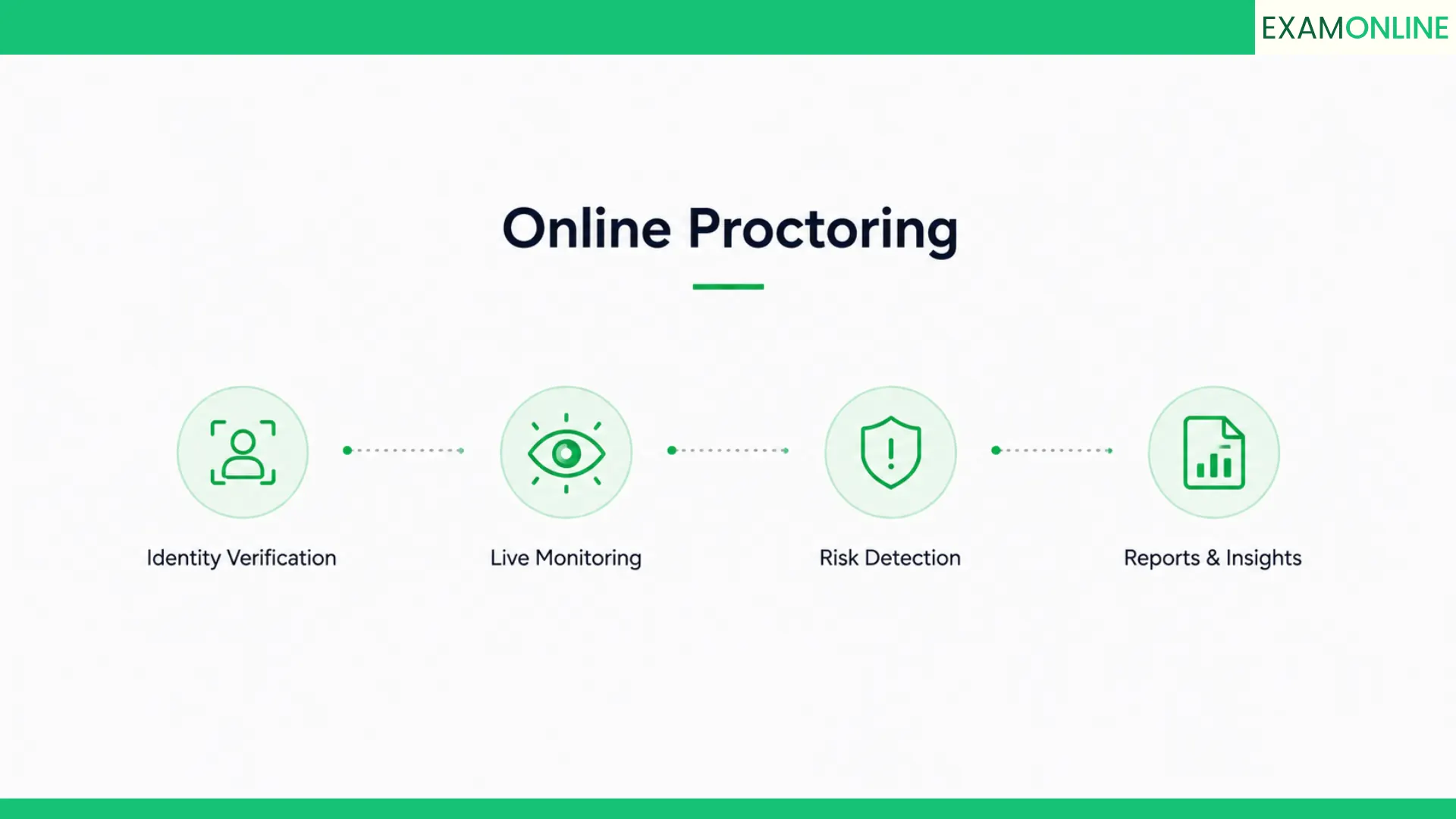
The lifecycle runs in three broad phases. The pre-exam phase covers everything that happens before a candidate enters the exam environment: registration, identity verification, system checks, and environment scanning. The live phase covers the exam session itself: AI monitoring, behavioral analysis, flag generation, and real-time intervention when required. The post-exam phase covers everything that follows: human review of flags, audit documentation, result release, and any dispute handling that arises.
Every platform in the market covers some version of this sequence. What separates strong platforms from weak ones is the depth of coverage at each stage, the quality of the handoffs between stages, and the configurability of the workflow for different exam types and risk levels. A platform that handles pre-exam verification well but produces an unusable volume of post-exam flags has a broken handoff. A platform with excellent AI monitoring but no structured review interface leaves the hardest work undone.
The overview below maps the full online proctoring workflow so that the detailed sections that follow make sense as a connected system rather than a collection of independent features.
| Phase | Stage | What happens |
| Pre-exam | Registration and onboarding | Candidate registers, uploads ID, completes system check |
| Pre-exam | Identity verification | Photo ID matched against live webcam image |
| Pre-exam | Environment scan | Room and desk area checked for unauthorized materials |
| Live exam | Exam launch | Secure browser locks down the environment, session recording begins |
| Live exam | AI monitoring | Continuous analysis of webcam, screen, audio, and behavior |
| Live exam | Flag generation | Anomalies detected and scored by confidence level |
| Live exam | Escalation | High-confidence flags routed to live proctor if required |
| Post-exam | Flag review | Human reviewer assesses flagged incidents against exam rules |
| Post-exam | Audit documentation | All session data, flags, and review decisions logged |
| Post-exam | Result release | Results released once integrity review is complete |

How candidates get verified before the exam
Candidate verification is the foundation of the entire online proctoring process. Everything that follows, the monitoring, the flagging, the audit trail, is only meaningful if you have confirmed at the outset that the right person is sitting the exam. Weak verification at this stage undermines every layer of integrity that comes after it.
The verification process begins well before the exam window opens. Candidates are typically required to submit a government-issued photo ID during registration. This ID is stored securely and used as the reference image for the live facial matching that occurs at exam entry. The gap between registration and the actual exam date gives the system time to process the ID and flag any submission issues before they become exam-day problems.
On exam day, the candidate authentication process runs in a defined sequence. The candidate opens the secure exam platform, activates their webcam, and holds their photo ID up to the camera. The system performs a live facial comparison against the registered image, checking that the face in frame matches the face on the document. Platforms using liveness detection go further, requiring the candidate to perform a small movement or gesture to confirm they are physically present rather than using a photograph or video loop to spoof the check.
The environment scan follows identity confirmation. The candidate is prompted to slowly rotate their webcam to show the full room environment. The system records this scan and checks for the presence of additional people, visible notes or printed materials, secondary screens, or other unauthorized items within the camera field. This scan serves two purposes: it deters candidates from setting up unauthorized resources before the exam begins, and it creates a documented baseline of the exam environment that can be referenced if a dispute arises later.
Pre-exam verification checklist
A complete candidate verification workflow covers all of the following before session access is granted:
- Government-issued photo ID submitted and stored during registration
- Live facial matching between webcam image and registered ID photo
- Liveness detection to confirm physical presence rather than spoofed image
- System compatibility check covering browser version, webcam function, microphone, and internet speed
- Secure browser download and installation confirmed before exam window opens
- Environment scan capturing full room view with timestamp
- Confirmation that candidate is alone in the exam space
- Absence of secondary screens, mobile devices, and printed materials verified
- Audio baseline established to detect ambient room conditions
- Candidate acknowledgment of exam rules and proctoring consent recorded
Organizations that skip or rush the pre-exam verification stage typically discover the consequences during the review phase, when they lack the baseline documentation needed to assess whether a flagged incident represents a genuine violation or a false positive.

What happens at exam launch
The moment between completing verification and answering the first question is where the online exam security layer fully activates. This is the exam launch phase, and it is a sequence of system actions that happen in rapid succession to lock down the candidate environment and begin the monitored session.
The secure browser is the first and most visible element of exam launch. Once the candidate is cleared through verification, the secure browser takes over the device environment. It disables keyboard shortcuts that would allow tab switching or application switching, blocks copy-paste functionality, prevents screen capture tools from operating, closes or restricts access to other applications running on the device, and in advanced implementations, monitors at the operating system level to detect attempts to circumvent browser-level restrictions.
Simultaneously, the session recording infrastructure begins capturing data across all monitored channels. The webcam feed starts recording. Screen capture begins logging all on-screen activity at a defined frame rate. The microphone opens and begins capturing the audio environment. These streams are tagged with a session identifier and timestamp and are transmitted to the platform in real time, where they are stored with integrity verification to prevent tampering.
The AI monitoring system establishes its behavioral baseline during the first minutes of the exam session. It calibrates to the candidate’s typical head position, gaze direction, and ambient audio level. This baseline is what subsequent anomaly detection is measured against. A candidate who consistently looks slightly downward while reading will have a different baseline than one who looks directly at the screen, and a well-calibrated system adjusts for those individual differences rather than applying a rigid universal standard.
What the secure browser controls
Secure browser enforcement is one of the most operationally significant elements of the online proctoring process. Here is what a properly configured lockdown environment restricts:
- Tab switching and new window creation within the browser
- Access to bookmarks, browser history, and saved passwords
- Copy and paste operations within and outside the exam interface
- Screen capture and screen recording tools
- Virtual machine environments that could obscure the actual desktop
- Communication applications including email clients, messaging tools, and video call software
- External storage access including USB drives and network shares
- Developer tools and browser extensions that could interact with exam content
- Print functionality to prevent question paper extraction
- Application switching to any non-exam software during the active session
The secure browser is the first line of defense in the online proctoring process. When it is properly configured, it removes the easiest routes to unauthorized assistance before the AI monitoring even begins.

How AI monitors a live exam session
Once the exam is underway, the AI monitoring system runs continuously across multiple data streams simultaneously. This is the core of the online proctoring system and the layer that most distinguishes modern digital proctoring from its manual predecessors. A human invigilator can watch one area of a room at a time. An AI system processes webcam footage, screen activity, audio, and behavioral signals in parallel, at every moment of the session, for every candidate simultaneously.
The webcam feed is analyzed frame by frame using computer vision algorithms. The system tracks the position and orientation of the candidate’s face relative to the screen, the presence of additional faces in the frame, the direction of the candidate’s gaze, and any objects that appear within the camera’s field of view. Each of these signals is compared continuously against the baseline established at session start and against a set of defined anomaly thresholds.
Audio monitoring runs in parallel, listening for voices beyond the candidate’s own, background conversation, the sound of materials being handled, or the specific audio signatures associated with communication devices. Advanced AI proctoring platforms use natural language processing to analyze audio content, not just audio presence, which significantly improves the signal quality for detecting unauthorized verbal assistance.
Screen activity monitoring captures everything happening on the candidate’s display throughout the session. Every application in focus, every window that opens or closes, every URL visited if a browser remains accessible, and every interaction with the exam interface is logged. This creates a complete activity record that can be reviewed alongside the webcam footage when assessing a flagged incident.
AI monitoring signals tracked during a live session
A complete AI proctoring system tracks the following signals simultaneously during the active exam:
- Face presence: continuous confirmation that a face is visible in the webcam frame
- Face identity: periodic re-verification that the face on screen matches the registered candidate
- Gaze direction: tracking of eye and head movement to detect sustained off-screen focus
- Multiple faces: detection of additional people entering the camera field
- Object detection: identification of phones, books, earphones, or other unauthorized items
- Audio activity: monitoring of background voices, movement sounds, and communication device signals
- Screen content: logging of all active applications, windows, and browser activity
- Browser behavior: detection of tab switching attempts, copy operations, or restricted shortcut use
- Interaction patterns: analysis of typing cadence and mouse movement as behavioral identity signals
- Environment changes: detection of significant lighting changes that may indicate secondary screen use

What gets flagged and why
Understanding what the AI flags, and why, is one of the most practically useful things a proctoring administrator can know. It is the difference between a review process that runs efficiently and one that collapses under a volume of inconclusive incidents that nobody has the time or context to resolve properly.
Flags are generated when a monitored signal crosses a defined anomaly threshold. The threshold is the key variable. Set it too sensitive and you generate a flood of flags for entirely innocent behavior: a candidate glancing at their physical keyboard, a family member walking past a door visible through a window, a sudden noise from outside. Set it too permissive and genuine incidents go undetected. The calibration of flag thresholds is one of the most operationally significant configuration decisions in the entire online proctoring setup.
Most enterprise-grade platforms assign a confidence score to each flag rather than treating all flags as equal severity. A flag with a high confidence score indicates that the system has high certainty that the detected behavior is anomalous and potentially a rule violation. A low confidence score indicates an anomaly that could have multiple explanations. This scoring system allows review teams to triage their workload, prioritizing high-confidence flags for immediate attention and batching low-confidence flags for systematic review.
The specific rules that determine what constitutes a flag are configurable by the exam administrator on a well-designed exam administration platform. A closed-book multiple choice exam has different flag thresholds than an open-book take-home assessment. A certification exam with regulatory consequences warrants tighter flagging than an internal skills assessment. Matching the flag configuration to the exam context is essential for producing a review workload that is both accurate and manageable.
Common flag categories in online proctoring
| Flag type | Trigger | Typical confidence level |
| Face absence | Candidate face leaves webcam frame | High |
| Multiple faces | Second face detected in frame | High |
| Identity mismatch | Live face differs from registered ID | High |
| Gaze deviation | Sustained off-screen eye movement | Medium to high |
| Audio anomaly | Background voice or conversation detected | Medium |
| Object detected | Phone, book, or earphone visible in frame | Medium to high |
| Tab switch attempt | Browser attempted to leave exam window | High |
| Application switch | Unauthorized application accessed | High |
| Lighting change | Significant ambient light shift detected | Low to medium |
| Typing anomaly | Keystroke pattern deviates from baseline | Low to medium |
How human review works after AI flags
The AI generates the flags. A human reviewer decides what to do with them. This handoff is where the online proctoring workflow either holds together or starts to leak. Organizations that underinvest in their review process, in the interface, the training, the documentation protocols, and the escalation paths, find that the quality of their AI monitoring becomes almost irrelevant because the review step cannot extract the signal from the noise.
The review interface is the first operational variable. Reviewers need to see the flagged incident in context: the webcam footage from the moment before, during, and after the flag, the screen recording for the same window, the audio clip if the flag was audio-triggered, and the candidate’s overall session timeline so the incident can be assessed in the context of their full behavior. A review interface that shows only a single frozen frame from the moment of the flag is operationally inadequate for anything beyond the most clear-cut incidents.
The review decision is binary: the flag represents a genuine rule violation, or it represents a false positive that can be dismissed. Both outcomes require documentation. A genuine violation needs a clear record of what was observed, which rule it violated, and what action was taken. A dismissed flag needs a brief note explaining why. This documentation is what makes the exam audit trail useful in a dispute context. Without it, the record shows a flag was generated and a decision was made, but provides no evidence of why.
The escalation path from review to action also requires definition before the exam runs. When a reviewer determines that a genuine violation has occurred, what happens next? Is the candidate warned? Is the session terminated? Is the result withheld pending further investigation? These decisions need to be made at the policy level before exam day, because making them in the moment, under time pressure, during a live exam, is how inconsistencies enter the process that later become disputes.
Human review workflow steps
- Reviewer opens the flag queue, sorted by confidence score
- Each flag is opened with the full session context: webcam clip, screen recording, audio
- Reviewer assesses whether the flagged behavior violates the defined exam rules
- Decision is recorded: genuine violation or false positive, with written rationale
- Genuine violations are escalated according to the pre-defined action protocol
- False positives are dismissed and noted to support threshold calibration
- All review decisions are timestamped and logged against the candidate session record
- Disputed decisions are escalated to a senior reviewer before final determination
The review workflow is where exam integrity is either confirmed or compromised. Strong AI monitoring with a weak review process produces inconclusive results. The two need to be designed together.
What the audit trail captures
The audit trail is the documentary backbone of the entire online proctoring process. It is the record that allows an organization to answer any question about any exam session: who sat it, when, under what conditions, what was flagged, who reviewed it, what was decided, and why. For organizations operating under regulatory compliance frameworks, the exam audit trail is often the primary evidence artifact in any external review.
A complete audit trail is generated automatically by the platform throughout the session lifecycle. It begins at candidate registration and ends at result release, capturing every action, event, and decision in between with a timestamp and, where applicable, a user identifier showing who performed the action. The trail is stored in a tamper-resistant format, typically using cryptographic integrity verification, so that any subsequent modification would be detectable.
The scope of what the audit trail captures is what determines its usefulness in a dispute context. A trail that records only flag events and review outcomes tells you that something happened and what was decided. A comprehensive trail records the entire session in structured form: the identity verification outcome, the environment scan recording, the full session video and screen capture, every flag with its confidence score and trigger data, every review decision with its rationale, and every communication between the platform and the candidate during the session.
Organizations running high-stakes online exams for professional certification, government assessment, or university finals need audit trails that meet the evidence standards of their specific compliance context. This means understanding what your accreditation body, regulatory authority, or institutional policy requires in terms of record retention, data format, and accessibility before you select a platform rather than after.
What a complete audit trail contains
- Candidate registration record with ID submission timestamp
- Identity verification outcome with facial match confidence score
- Environment scan recording with timestamp and reviewer notes
- System check results for the candidate’s device at session start
- Full webcam recording for the entire session duration
- Full screen recording for the entire session duration
- Audio recording for the entire session duration
- Complete flag log with trigger type, timestamp, and confidence score for every flag generated
- Human review decisions for each flag with reviewer ID, rationale, and timestamp
- Escalation log recording any live proctor interventions or session terminations
- Result release record with authorization details and timestamp
- Any candidate communications or support interactions during the session
How results are released after review
Result release is the final stage of the online proctoring workflow and the one that candidates, employers, and institutions are most directly invested in. The speed and reliability of result release is often what candidates remember most about their exam experience, which means how this stage is managed has direct implications for the reputation of the organization running the assessment.
The result release process begins when the review team clears the flag queue for a candidate’s session. For sessions with no flags or only dismissed false positives, clearance can happen quickly, sometimes within minutes of the session ending if the review workload is light. For sessions with genuine violations under investigation, result release is held pending the outcome of the integrity determination, which may involve a senior review, a formal investigation process, or a candidate notification and response period.
Well-designed online exam management systems separate result calculation from result release at the technical level. The exam scoring engine processes the candidate’s answers and calculates the result immediately after the session ends. The result is then held in a released or withheld state based on the review status of the session. This means the scoring is already done while the review is in progress, and the moment the review clears, the result can be released without any additional processing delay.
Bulk result release, for mass online examinations where thousands of candidates sit simultaneously, requires a structured release workflow that can process the review queue at scale. Organizations running large assessments typically set a release timeline, for example, results released within 48 hours for sessions with no high-confidence flags, with extended timelines for sessions under integrity review. Communicating these timelines clearly to candidates before the exam reduces support load and candidate anxiety during the wait period.
Result release workflow
- Exam session ends and scoring engine calculates raw result
- Result placed in withheld state pending review clearance
- Review team processes flag queue for the session
- All flags resolved as dismissed or actioned
- Senior reviewer authorizes release if any genuine violations were identified and processed
- Result released to candidate through defined notification channel
- Release event logged in audit trail with authorization details and timestamp
- Certificate or credential generation triggered if result meets pass threshold
Where online proctoring breaks down
Online proctoring fails in predictable ways. The organizations that experience the most painful failures are almost always the ones that treated the platform as the solution rather than treating the platform as a tool within a solution. The technology is only as effective as the process it operates within, and the process is only as effective as the people and policies that govern it.
The most common failure point is pre-exam preparation. Candidates who receive inadequate instructions about system requirements, identification documents, or environment standards arrive at the exam unable to complete verification. This creates a support crisis on exam day, delays the exam for affected candidates, and often produces a messy exception process that introduces inconsistency into the oversight record. Organizations that invest in clear candidate communication, a robust system check period, and accessible technical support before the exam window opens avoid most of these issues entirely.
The second major failure point is flag threshold misconfiguration. Platforms with factory default settings that were calibrated for a different exam type or candidate population will produce flag rates that do not match the exam context. A corporate aptitude test run on settings calibrated for a high-security government certification will overwhelm the review team with irrelevant flags. A medical licensing exam run on settings calibrated for a low-stakes quiz will miss genuine violations. Configuration review before each exam type is not optional.
The third failure point is the review workflow itself. Organizations that assign flag review to staff who have no formal training in what to look for, no documented decision criteria, and no escalation path produce review outcomes that are inconsistent, poorly documented, and legally indefensible. The review process needs the same level of operational investment as the monitoring technology.
Most common online proctoring failure points
| Failure point | Root cause | How to prevent it |
| Verification failures on exam day | Inadequate candidate preparation and system check process | Mandatory system check 48 hours before exam with support access |
| Flag volume overwhelming review team | Misconfigured detection thresholds | Calibrate thresholds per exam type before each deployment |
| Inconsistent review decisions | Untrained reviewers with no decision criteria | Document review standards and train reviewers before exam |
| Audit trail gaps | Platform not configured to capture full session data | Verify audit scope against compliance requirements pre-deployment |
| Result release delays | Review queue backlog from high flag volume | Allocate review resources based on expected flag rate, not session count |
| Candidate disputes with no resolution path | No formal dispute handling policy | Define dispute process and communicate it to candidates before exam |
| Integration failures with LMS | Platform not tested with live candidate data before deployment | Run full end-to-end integration test with representative data |

What reliable online proctoring looks like
Reliable online proctoring is the kind that nobody notices on exam day. Candidates move through verification quickly, the exam runs without technical interruption, the review team processes flags efficiently, results are released on schedule, and the audit trail is there if anyone ever needs it. That outcome is achievable, but it requires deliberate design at every stage of the workflow, not just a well-chosen platform.
The organizations that consistently deliver reliable online proctoring share a set of operational practices that go beyond technology selection. They design the candidate experience with the same care they give to exam content. They configure their proctoring settings specifically for each exam type rather than using defaults. They invest in review team training and documentation before exams run. And they treat post-exam analysis of flag patterns and review outcomes as a quality improvement input rather than as noise to be archived and forgotten.
ExamOnline is built around this operating model. The platform supports the full online proctoring lifecycle from candidate onboarding and identity verification through AI monitoring, human review workflow, and tamper-resistant audit documentation. It is used by 250+ organizations across 25+ countries including universities, certification bodies, government exam authorities, and enterprise hiring programs, to run assessments that hold up to the scrutiny that high-stakes results demand.
The platform integrates with existing learning management systems and supports configurations for everything from mass online examinations with tens of thousands of simultaneous candidates to tightly controlled professional licensing sessions with live proctor oversight. The proctoring setup is configurable per exam type, not locked to a single mode across all assessments.
What to verify before going live with any online proctoring platform
- Identity verification covers liveness detection, facial matching, and ID document validation as standard
- Secure browser enforcement operates at OS level for complete application control
- AI monitoring covers webcam, screen, audio, and behavioral signals in parallel
- Flag thresholds are configurable per exam type with documented calibration process
- Review interface provides full session context including video, screen, and audio clips
- Every review decision is logged with reviewer identity, rationale, and timestamp
- Audit trail storage uses integrity verification to prevent tampering
- Result release is technically separated from scoring to allow parallel processing
- Platform uptime and capacity guarantees cover your peak candidate volume with SLA documentation
- Dispute handling process is defined, documented, and communicated to candidates before exam day
See how ExamOnline’s remote proctoring solution handles each stage of this workflow. Explore the certification exam platform, hiring and recruitment solution, and proctoring as a service for the use case closest to your requirements.
Further reading
Wikipedia: Biometrics: foundational overview of biometric identification methods including facial recognition and liveness detection used in candidate verification.
ISO/IEC 27001 Information Security: international standard governing information security management, directly relevant to audit trail integrity and data handling in online proctoring platforms.
UGC Guidelines on Examination Reforms: regulatory framework from India’s University Grants Commission covering online examination standards for higher education institutions.
NIST Digital Identity Guidelines: authoritative framework for digital identity verification standards, relevant to candidate authentication and identity assurance levels in online proctoring.
ACM Digital Library: Remote Proctoring Research: peer-reviewed research on AI-based exam monitoring, behavioral analysis systems, and the effectiveness of remote assessment security measures.
Frequently asked questions
How long does the online proctoring process take per candidate?
The pre-exam verification process typically takes between five and fifteen minutes depending on system check completion, ID verification speed, and environment scan time. The exam session itself runs for whatever duration the exam allows. Post-exam review time varies by flag volume, but well-configured platforms with trained review teams can clear most sessions within a few hours of the exam ending.
What happens if a candidate fails the identity verification step?
Candidates who fail identity verification are typically prevented from accessing the exam until the issue is resolved. Common failure causes include poor webcam quality, lighting issues during facial matching, or an ID document that does not match the registration name. Well-designed online examination systems include a support escalation path for verification failures that allows a human administrator to review and override where appropriate, rather than blocking the candidate with no recourse.
Can online proctoring work on low bandwidth connections?
Most enterprise online proctoring platforms are designed to function on connections as low as 1 to 2 Mbps for the candidate, with server-side processing handling the heavy computation. Platforms that require high bandwidth from the candidate side create access barriers for candidates in lower connectivity environments. Low bandwidth proctoring capability should be explicitly verified with any platform you evaluate for use cases involving diverse candidate locations.
How are proctoring session recordings stored and for how long?
Session recordings are stored on the platform’s secure cloud infrastructure with encryption in transit and at rest. Retention periods vary by platform and are often configurable by the exam administrator to match institutional or regulatory requirements. ExamOnline’s data handling policies are documented at examonline.in/privacy-and-data-security and align with GDPR and ISO 27001 standards.
What is the difference between automated and human review in online proctoring?
Automated review is performed by the AI system in real time during the exam session. It generates flags based on defined anomaly thresholds but does not make integrity determinations. Human review is the process of assessing those flags against the exam rules to determine whether they represent genuine violations. Both are required for a defensible online proctoring process. Automated review provides the scale and consistency. Human review provides the judgment and accountability.
How does online proctoring handle candidates with disabilities or accessibility needs?
Responsible online proctoring platforms provide accommodation workflows for candidates with documented disabilities. This may include extended time allocations, modified environment requirements, or exemptions from specific monitoring elements that would create unnecessary barriers. Accommodation requirements should be verified with any platform before deployment for assessments where accessibility compliance is legally required. ExamOnline’s exam support team works with organizations to configure appropriate accommodations for their specific candidate populations.
Continue reading: The Online Proctoring Handbook
This is Blog 2 of the five-part series. Here is the full reading path:
Blog 1: Proctoring Explained: Types, Evolution and Why It Matters
The foundation blog. What proctoring is, where it came from, the types, and why your organization cannot afford to get it wrong.
Blog 3: Online Exam Proctoring for Universities and Exam Bodies: What You Need to Know
How universities and certification bodies run online exam proctoring at scale. Compliance requirements, dispute handling, and what defensible oversight looks like in high-stakes contexts.
Blog 4: The Practitioner’s Guide to Remote Exam Proctoring: Setup, Compliance, and Common Failures
The operational guide for exam administrators and IT teams. Setup checklist, compliance gaps, infrastructure requirements, and failure patterns.
Blog 5: What Is an Exam Portal? Features, Functions, and How to Evaluate One
The platform evaluation framework. What an exam portal is, which features matter, and how to evaluate vendors without being led by the demo.
Back to the series intro: The Online Proctoring Handbook


