
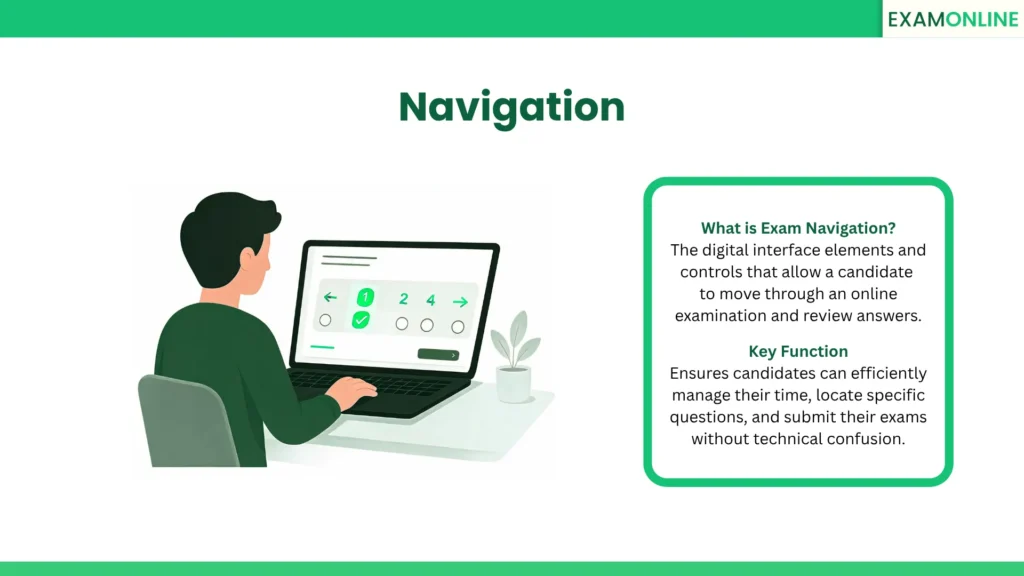
What is Exam Navigation
Navigation in the context of an online exam refers to the user interface controls that allow candidates to move between questions. It acts as the digital roadmap during an On-Screen Assessment, guiding users from the first prompt to the final submission.
Effective digital wayfinding ensures that test-takers spend their cognitive energy on answering questions rather than struggling with the software. It directly impacts the candidate’s testing experience and overall time management.
A well-designed Assessment platform provides clear, intuitive pathways that mimic or enhance the traditional page-turning experience of a paper exam.
Core Components of Exam Navigation
A secure and user-friendly testing interface relies on specific functional elements. Standard controls found in modern testing environments include:
- Directional Buttons: “Next” and “Previous” buttons allow candidates to move sequentially through the exam one question at a time.
- Question Palette: A clickable grid or sidebar displaying all question numbers, allowing candidates to jump directly to specific items instantly.
- Status Indicators: Color-coded visual cues within the palette showing which questions are answered, unanswered, or marked for review.
- Section Tabs: Clickable headers that allow candidates to switch between different subjects or modules within a single, comprehensive exam.
- Mark for Review: A toggle button that lets candidates flag difficult questions so they can easily find and revisit them before final submission.
Importance in Digital Testing
Smooth movement through a digital test is critical for minimizing candidate anxiety and ensuring fair testing conditions. The primary benefits of intuitive design include:
- Time Efficiency: Candidates can quickly locate skipped questions without clicking “Previous” fifty times, optimizing their limited exam time.
- Reduced Errors: Clear visual indicators prevent candidates from accidentally leaving blank answers before clicking the submit button.
- Accessibility: Large, clearly labeled buttons ensure that users of all technical skill levels can complete a CBT Online Exam without confusion.
- Interface Stability: High-quality Online Exam Conducting Software ensures that all directional controls remain visible and functional even when the system is locked into Full Screen Mode.
Keyboard Navigation and Accessibility (ADA/WCAG Compliance)
Enterprise and educational institutions must ensure their digital testing environments are accessible to all candidates, including those with visual or motor impairments. A compliant navigation system must support:
- Tab-Targeting: Candidates must be able to use the “Tab” key to smoothly cycle through questions, answer options, and submission buttons without ever using a mouse.
- Screen Reader Compatibility: The navigation palette and directional buttons must contain proper digital tags so that screen reading software can announce them audibly and accurately.
- Keyboard Shortcuts: Providing configurable hotkeys (such as pressing “N” for Next or “P” for Previous) allows for seamless and accessible movement through the test.
Free vs. Restricted Navigation
| Feature | Free Navigation | Restricted (Linear) Navigation |
| Movement | Candidates can jump to any question at any time. | Candidates must answer questions in a strict sequence. |
| Revisiting Answers | Allowed. Candidates can go back and change previous answers. | Blocked. Once a candidate clicks “Next,” they cannot return. |
| Best Use Case | University finals and standard professional certifications. | Adaptive testing and highly secure compliance exams. |
| Candidate Stress | Lower. Provides total control over time management. | Higher. Requires immediate, final decisions on every prompt. |
Best Practices for Exam Administrators
To guarantee a seamless testing experience, administrators must configure their software settings logically. Important setup guidelines include:
- Clear Instructions: Always provide a brief tutorial screen explaining how the buttons and question palette work before the timer starts.
- Disable Accidental Submission: Implement a confirmation pop-up when the “Submit Exam” button is clicked to prevent premature, accidental closures.
- Match Exam Rules: If the test rules forbid going backward, ensure the “Previous” button is completely hidden rather than just greyed out to avoid confusion.
- Responsive Design: Verify that all clickable elements scale correctly and remain accessible if a candidate is testing on a smaller laptop screen.
Conclusion
Navigation is a foundational element of digital testing that dictates how smoothly a candidate interacts with the exam interface. By utilizing intuitive controls like question palettes and review flags, organizations ensure that test scores reflect actual knowledge rather than software proficiency. Choosing the right structural flow—whether free or restricted—is essential for maintaining both test security and candidate comfort.
Related Terms: AI Surveillance, Behaviour Analysis, Cognitive Intelligence, Digital Upskilling, Interview Intelligence.